Application
Battery backup for a WiFi router and modem
The home and small-office network is the load a mini UPS was invented for: two or three small boxes, each with its own adapter voltage, all of which must stay up together. This page walks the matching process — adapter label first, model second — and ends with the shortlist most buyers choose from.
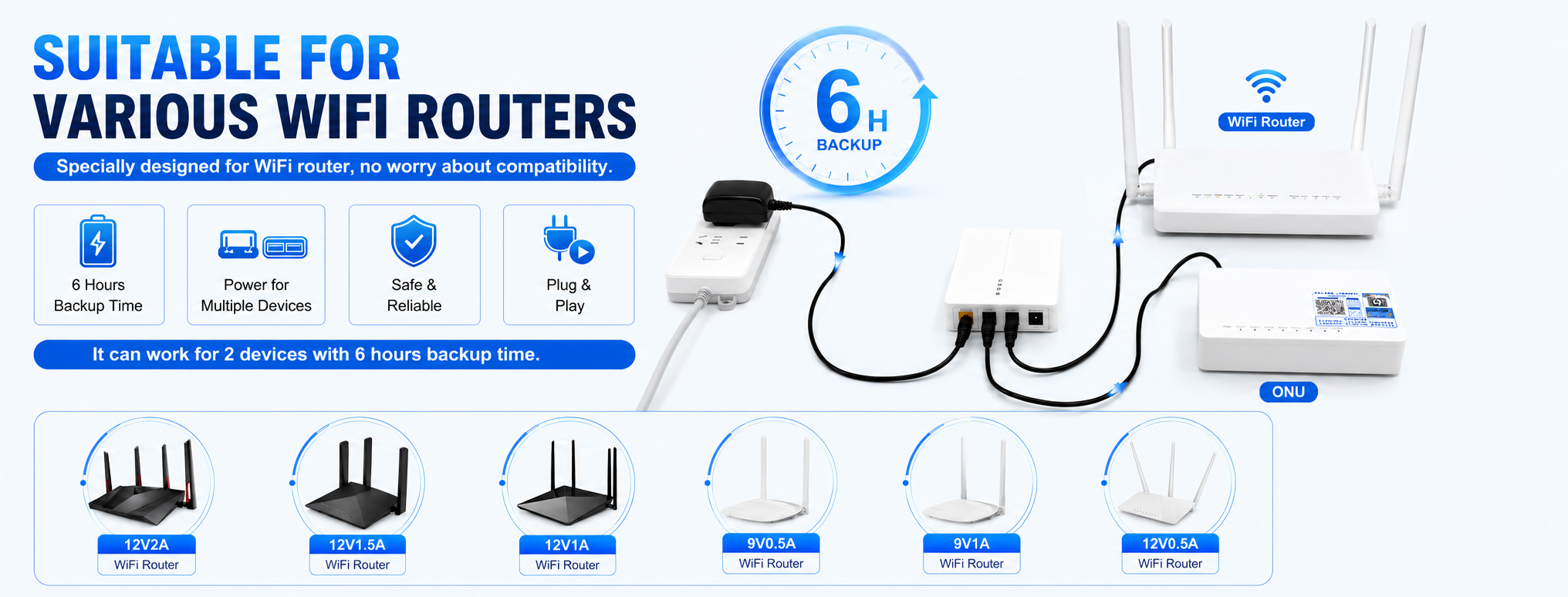
Step one: read the two adapter labels
Every router and modem carries its power rating on the adapter or the device label: a voltage (commonly 9V or 12V, sometimes 5V) and a current rating. Those two numbers decide everything. A 12V router needs a 12V output with at least its rated current; a 9V modem needs a 9V output. Feeding 12V into a 9V device is a genuine failure mode, which is why the multi-output family exists — it carries both voltages on one battery.
Step two: pick the configuration
If the pair mixes 9V and 12V, the answer is a multi-output model: the Optima 301 covers the standard set with three DC ports and a battery life of up to 6 hours, and the Optima A1 adds USB and a fourth cell. If both devices run on 12V, the dual-output Effcium A12 or a pair of 12V 2A class units (the B12, with its 15,600 mAh pack) fit. If both run on one voltage and the budget is tight, a single 12V 2A or 9V unit plus a step-up cable as the emergency spare is a workable program.
Runtime follows capacity divided by the pair's combined draw — the adapter current is the ceiling, and real draw usually sits well under it. For outage-prone areas, step up a class: the high-capacity Maxora on the 12V device, or the LiFePO4 Optima 304 where the installation will sit unattended for years.
Step three: the no-battery fallback
Where a USB power bank already exists, a step-up cable (5V to 12V, or 5V to 9V) turns it into an emergency router supply for the price of a cable. It is manual — someone plugs it in when the power fails — where a mini UPS is automatic and always in circuit. Many buyers run both: the UPS as the system, the cable as the spare.
Choosing the tier for a router installation
Router backup fails in one of two ways: the unit's ports do not match the devices, or its capacity does not match the outage. The port question is settled by the labels — most home and small-office pairs split across 12V and 9V, which is the multi-output family's home ground — and the capacity question is settled by the grid's behaviour, which the buyer knows better than any catalogue: a street that flickers wants the standard tiers, a district that goes dark for evenings wants the high-capacity class, and a site that cannot say should be sized for the longer story, because an oversized backup is merely reassuring while an undersized one is a outage discovered twice.
The step-up cable deserves its honest place in this guide: as the emergency bridge for a home with a power bank and no UPS, it is the right tool. As the permanent plan for an office network it is the wrong tool — no automatic switchover, no protected battery — and the applications conversation should not pretend otherwise. Buyers describing a fixed installation in the inquiry will be steered to the units; buyers describing a drawer, a holiday home or a travel kit will be steered to the cable.
Related pages
Ask for a quotation
Tell us the model, the output voltages your equipment needs and the quantity band for your order. If you are matching a UPS to a router, camera or terminal, add the device's rated voltage and current.